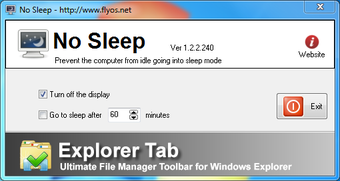
Prevent your PC from sleeping
No Sleep is a utility program that solves a common frustration: a PC that turns off right when it’s needed most. By preventing your computer from entering sleep mode or activating the lock screen, you ensure that your system stays fully awake during long-running tasks like big downloads or rendering projects.
Top Recommended Alternative

No Sleep lives quietly in the system tray, providing a simple on-off toggle that overrides the standard Windows power settings, great for users who want a no-fuss solution to keep their monitors on without digging through control menus. Its small footprint means it won't slow down your machine while it works.
Keep it always on at your own discretion
The primary appeal of No Sleep is how it manages system awareness without actually needing user input. It essentially pokes the operating system to keep it from noticing idle time, which is perfect for presentations or monitoring live data feeds. Because it’s lightweight, it starts up instantly and doesn't require a complex installation, making it very portable for different setups.
Newer versions of the tool have focused on even lower resource consumption, making it one of the most efficient options in its category. It is particularly useful for legacy hardware or systems where administrative restrictions might prevent you from permanently changing the power plan. This makes it a handy safety net for ensuring that a critical server-side task doesn't time out because of a default setting.
However, the program is extremely basic and lacks the advanced scheduling or battery-aware features found in modern competitors. There is no option to automatically disable the tool when your laptop reaches a low battery percentage, which could lead to an unexpected shutdown. It also lacks a timer mode to stay awake for only a specific duration, making it a bit of a manual chore.
A handy program
In conclusion, No Sleep is a dependable and straightforward tool that does exactly what it says on the tin without any extra bloat. It is ideal for anyone who needs a quick way to keep their PC active during unattended workloads. While it lacks the bells and whistles of more robust power managers, its simplicity and reliability make it a helpful addition to any toolkit.